Home / Only have the number plate? Start with a vehicle match
Only have the number plate? Start with a vehicle match
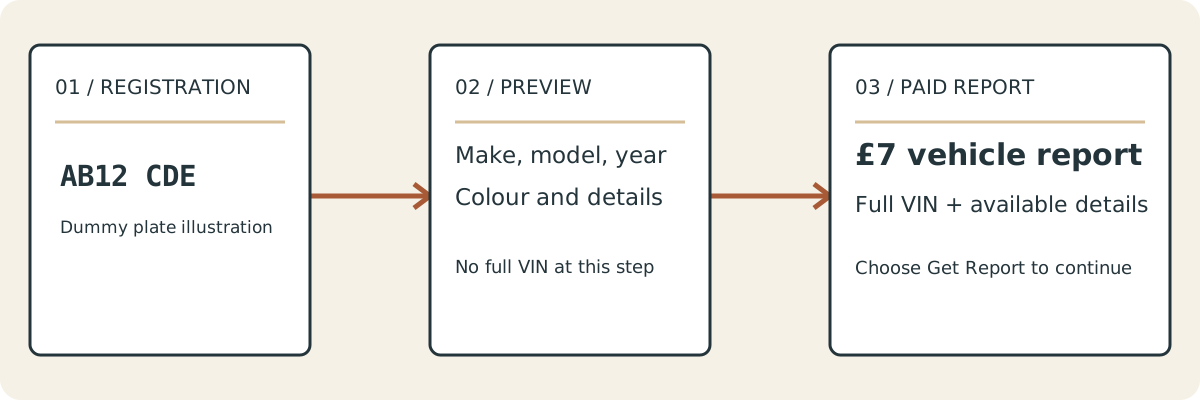
A UK registration is enough to start a vehicle-details lookup, but it does not mean the full VIN will appear in a free result. VIN Reveal shows the vehicle description first. The full VIN is part of the £7 report you can choose afterwards.
If your aim is to find a VIN number from a number plate, begin by deciding whether you need a report or whether the number is already available on the car or its documents.
[Real registration form: label "UK registration"; placeholder AB12 CDE; button "Check this vehicle".]
Is this your vehicle?
Includes the full VIN and available vehicle details, sent by email after your request is processed.
Your report request has been received
Choose the route that suits your access
You have the vehicle nearby
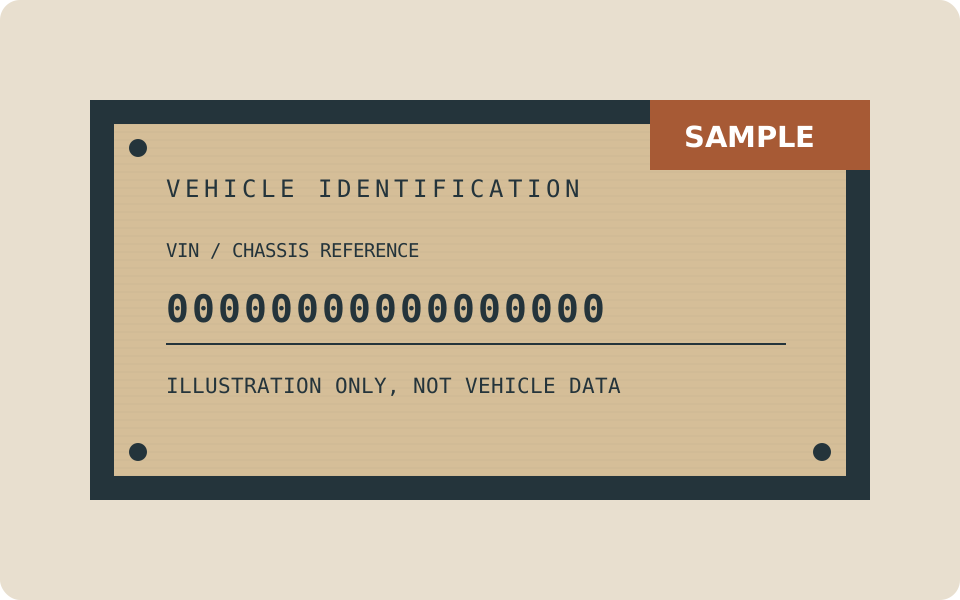
Read the VIN from a manufacturer-applied location. Depending on the model, you may find a visible plate at the windscreen, a label in a door opening or a stamp in the body. Compare more than one location where practical. The VIN location guide gives you a careful starting point.
You have the V5C or other vehicle paperwork
Look in the vehicle-details section of the V5C for the VIN, chassis or frame number. Supporting documents may also include it, but check the complete number against the vehicle rather than assuming that old paperwork is still correct.
If a parts supplier or manufacturer needs the number, ask what they need and how they want it supplied. A service invoice and an engine number are not substitutes for the VIN unless the receiving organisation specifically asks for them.
You have the UK registration and need a report
Enter the registration into VIN Reveal. The initial lookup returns available vehicle details, allowing you to check make, model, year and colour. Confirm the description before choosing Request the £7 report. The report costs £7 GBP and includes the full VIN with available vehicle information.
You enter your delivery email after selecting Request the £7 report. The free preview is not the full VIN report, so do not expect the VIN to appear merely because you submitted a plate.
Why the preview is worth checking
Similar-looking registrations can describe very different vehicles. A typing error may return a real record for the wrong car. Compare the full description rather than accepting the fact that a result appeared.
A recent registration change also deserves care. If what you see does not fit the vehicle, check the current registration and supporting documents before you proceed. A lookup should not be used to guess which record is correct.
What the official enquiry can do
The free GOV.UK/DVLA vehicle enquiry does not return the VIN. It provides its own set of vehicle information from a registration. That makes it useful for relevant official checks, but not a route to displaying the full VIN.
Reading a VIN yourself and buying a VIN from reg report are separate options. VIN Reveal is an independent commercial service and is not affiliated with the DVLA. You do not need to buy our report if you can already obtain the number you need from the car and its documents.
Use the number after you find it
For parts ordering, ask the supplier to confirm compatibility against the specification and any changed components. For insurance, compare the number carefully before entering it on a form. For a purchase, match the report with the physical vehicle and V5C.
A successful record lookup is not a guarantee about mechanical condition or a complete vehicle-history check. The VIN helps identify the vehicle; it does not answer every question about it. Read the UK lookup guide for the difference between obtaining the identifier and investigating the car further.
Avoid three common shortcuts
Accepting the first returned vehicle
A valid registration can still be the wrong input. Read the make, model, year and colour together. If you meant to check one car and the screen describes another, the fact that a record exists is not a reason to continue.
Treating a partial number as the complete VIN
A few displayed characters may be useful in another provider's workflow, but they are not the same as a complete identifier. Check the stated scope of any service before relying on its result. VIN Reveal's full VIN is in the £7 report, not the vehicle-details preview.
Buying before checking your existing documents
If the car or V5C is available, the number may already be there. A paid registration route can be convenient, but it is not compulsory. Choose based on what you have access to and what the organisation requesting the VIN needs.
If a registration is not found
Read it again from the source. Keep the letters and digits in the same order and remove stray punctuation. Do not replace an uncertain character with a guess simply to reach a result.
A no-result response is not proof that a vehicle has no VIN. It means that the lookup has not returned a usable record for that input. Some records can be incomplete or unavailable. A temporary service error should also be described as an error, not as proof about the vehicle.
If the registration remains unrecognised, use the contact route and explain what you entered. You can also follow the physical and document routes in this guide when you have lawful access. Do not assume that ordering for another similar-looking registration will produce the answer for your car.
Questions about this page
Can I find a VIN by registration with this service?
Yes. Start with the vehicle-details preview, confirm the car and choose the £7 report for the full VIN and available vehicle information.
Do I need to buy a report if I can read the VIN?
Not just to obtain the number. Check it against the vehicle documents and use the route that suits your purpose.